
Overview
Trezor invented the hardware wallet. Its first device, the Trezor One, launched in 2014, made by SatoshiLabs in Prague, Czech Republic. More than ten years later, Trezor is still one of the two biggest names in cold storage, alongside Ledger.
What sets Trezor apart is transparency: its firmware, its app and even its hardware designs are open source. Anyone — independent researchers, competitors, curious users — can read the code and check that the device does exactly what Trezor says, with no hidden backdoors. For many people in crypto, where “don’t trust, verify” is a motto, that matters a lot.
How it works
A Trezor keeps your private keys offline. They are created on the device and never leave it, so they stay safe even if your computer is full of malware. All current models also include a secure element — a tamper-resistant chip, certified EAL6+, that protects your wallet if someone steals the device and tries to extract its secrets.
Setup takes about 15 minutes:
- Connect the device to the free Trezor Suite app and install the latest firmware.
- Create your wallet and write down your wallet backup — 20 words by default (12 or 24 are also possible). Anyone with these words has your crypto, and they let you restore your wallet if you lose the device. Never type them into a computer or phone; Trezor will never ask for them.
- Choose a PIN (up to 50 digits) to lock the device.
To send crypto, you prepare the transaction in Trezor Suite, then check the address and amount on the Trezor’s own screen and confirm on the device. Even if your computer shows a fake address, the device shows the real one.
Trezor also offers Multi-share Backup: instead of one list of words, you can split your backup into several shares (for example 3), of which a set number (say 2) is needed to recover the wallet. Lose one share, or have one stolen, and your crypto is still safe.
The models and prices
Trezor’s current range is the Safe family. Approximate official prices in autumn 2026:
| Model | Price | Screen | Connection |
|---|---|---|---|
| Safe 3 | ~$59–79 | 0.96” monochrome, two buttons | USB-C |
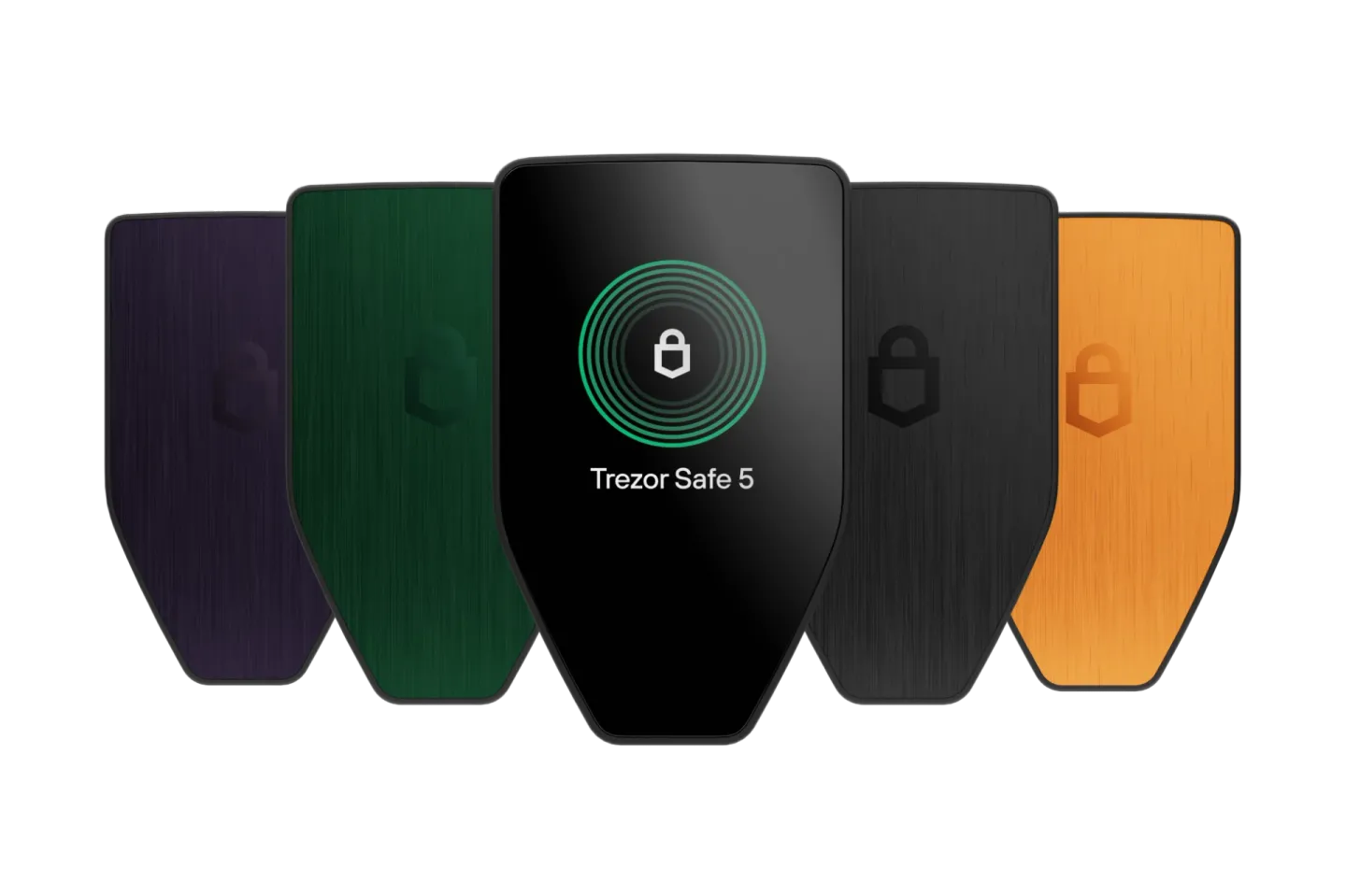
| Safe 5 | ~$129–169 | 1.54” color touchscreen | USB-C |
| Safe 7 | ~$249 | 2.5” color touchscreen | USB-C, Bluetooth, wireless charging |
Prices vary by country and with promotions, so check trezor.io. Buy only from trezor.io, and check that the packaging seal is intact.
Which one to choose? All three run the same software, support the same coins and have the same core security — the difference is comfort. The Safe 3 is one of the best-value hardware wallets on the market, if you don’t mind pressing two small buttons. The Safe 5, with its color touchscreen and haptic feedback, is the sweet spot for most people. The Safe 7 is the flagship: a large screen, an aluminium body, Bluetooth, full iPhone support, and a second, fully auditable security chip (TROPIC01) designed to receive future “quantum-secure” updates. The older Trezor Model One and Model T are no longer the ones to buy.
The Trezor Suite app
Trezor Suite runs on Windows, macOS, Linux and Android, and in a web browser. On iPhone, only the Safe 7 is fully supported; with the other models the iOS app can just check balances and receive crypto. Trezor supports thousands of coins and tokens — Bitcoin, Ethereum and EVM chains, Solana, Cardano, XRP and more — though fewer than Ledger. In the app you can:
- see your portfolio and send or receive crypto;
- buy, sell and swap through partner providers;
- stake coins such as Ethereum, Solana and Cardano;
- use privacy tools: Tor to hide your IP address and coin control for Bitcoin;
- connect your Trezor to wallets such as MetaMask, Rabby or Sparrow.
Bitcoin users especially appreciate Trezor’s privacy features and its optional passphrase, which creates hidden wallets on top of your backup words. As with every wallet, partner fees for buying and swapping are often higher than on an exchange.
Security
Trezor’s open-source approach means its code has been examined by researchers for over a decade. Older models (Trezor One and Model T) had a known weakness: with physical access and lab equipment, an attacker could extract the backup from the chip — mitigated by using a passphrase. The current Safe models fixed this with the secure element. Still, there are points every buyer should know:
- No hack of the devices — but customer data leaks. In August 2026 Trezor’s shipping partner, ShipMonk, was breached, exposing the names, addresses, emails and phone numbers of about 81,000 customers (orders from 2019–2021 and May–August 2026). No wallets or backups were exposed, but victims have since received convincing phishing calls and emails.
- The fake “security alert” emails (September 2026). Hackers broke into Brevo, the platform Trezor uses for newsletters, and sent about 347,000 genuine-looking emails warning of a fake chip flaw and asking users to “secure” their wallet backup. About 2,500 people clicked before Trezor shut the link down within 20 minutes. Trezor will never ask for your backup words — any message that does is a scam.
- Tighter reseller rules (October 2026). After Ledger devices tampered with by criminals were sold through resellers in Southeast Asia, Trezor said there is no evidence that any Trezor device was affected. Still, it is cutting down its reseller network from January 2027 and advises buying directly from trezor.io.
- The secure element is not fully open. On the Safe 3 and Safe 5, the secure chip runs closed code from its manufacturer — but Trezor uses it only as an extra lock, so the core logic stays open. The Safe 7’s TROPIC01 chip is fully auditable.
Pros and cons
Pros
- Fully open-source firmware and app — the most transparent major wallet.
- Secure element and on-device screen on every current model.
- Excellent Bitcoin and privacy features (Tor, coin control, passphrase).
- Multi-share Backup for safer storage of your recovery words.
- The Safe 3 is one of the cheapest secure wallets with a screen.
Cons
- Fewer supported coins than Ledger.
- Limited iPhone support, except on the Safe 7.
- Only the Safe 7 has Bluetooth.
- 2026 customer-data breaches through partners, followed by phishing.
- The Safe 3’s two-button navigation is slow.
Trezor vs. the competition
| Trezor Safe 3 / Safe 5 | Ledger Nano S Plus / Gen5 | Tangem (3 cards) | |
|---|---|---|---|
| Price | ~$59–79 / ~$129–169 | ~$79 / ~$179 | ~$70 |
| Screen | Yes | Yes | No |
| Open-source firmware | Yes | No | No |
| Supported assets | Thousands | 15,000+ | Thousands |
| Seed phrase | Required (or Multi-share) | Required (24 words) | Optional |
| iPhone | Limited (full on Safe 7) | Gen5: yes | Yes |
Ledger supports more coins and has the better mobile experience, but its firmware is closed and its customers have faced their own data leaks and the 2026 tampered-device scheme. Tangem is the simplest and cheapest option — no seed phrase, no cables — but it has no screen and closed firmware. Bitcoin purists might also look at Coldcard or BitBox02.
Who it’s for
Trezor is ideal for anyone who values transparency and wants code they don’t have to take on trust — especially Bitcoin holders who care about privacy. The Safe 3 is a great first hardware wallet on a budget; the Safe 5 suits most users; the Safe 7 is for iPhone users and those who want the most advanced security.
If you hold many smaller altcoins or mostly use an iPhone, compare with Ledger first. If you find backup words intimidating, Tangem may be easier.
Verdict
Trezor remains the reference for open, verifiable security. The Safe range adds a secure chip to that transparency, at prices that start lower than almost anyone else’s with a screen. The 2026 data breaches at its partners are a real blemish — and a reminder to ignore every message about your wallet — but the devices themselves have not been hacked. Buy directly from Trezor, keep your backup words offline, and it is one of the safest homes for your crypto.